

Rules
Automation rules
Make repeated mailbox decisions repeatable without handing invisible control to an assistant.
How it works
1
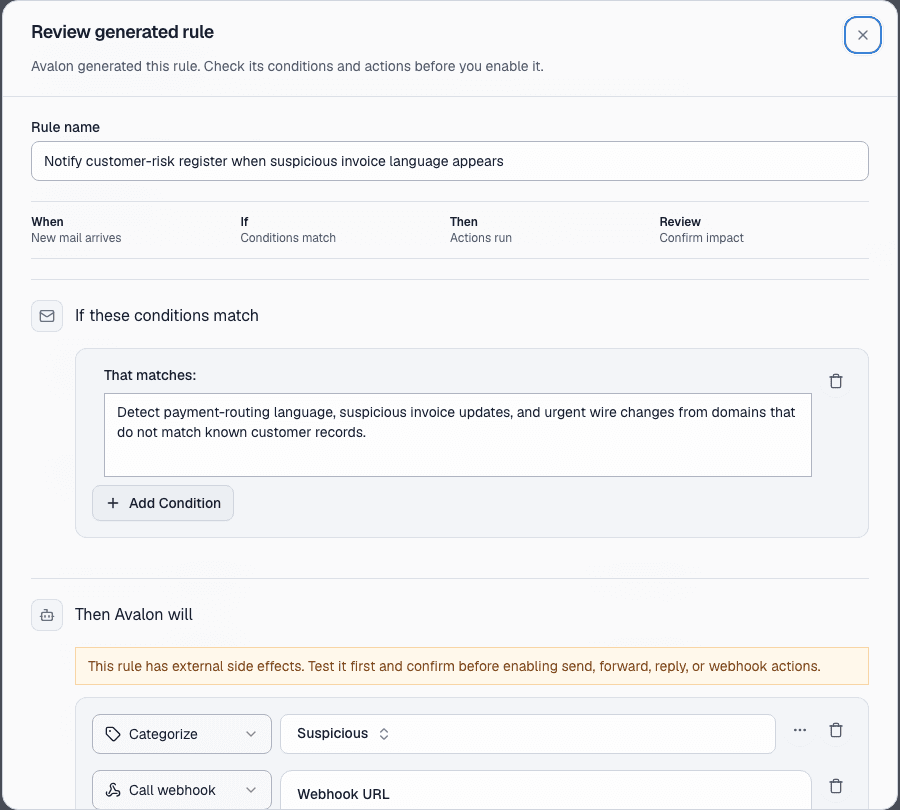
Describe the pattern
Create a rule for the mail you want Avalon to recognize or the recurring action you want prepared.
2
Test old mail
Preview how a rule behaves against existing messages before relying on it for live work.
3
Run with guardrails
Let safe actions run where configured, while sensitive sends, forwards, and external actions stay visible.
Before Avalon
You notice the same senders, requests, and status updates again and again, then handle them manually each time.
After Avalon
Rules can process matching mail, show what they did, and keep risky sends or broad external actions behind approval and policy controls.
What Avalon supports
- Label, move, archive, mark-read, and draft-preparation actions
- Rule previews against prior mail
- Cold-email handling as part of the rules surface
- Tenant policy checks for higher-risk automation
Important boundaries
- Provider-specific actions differ; Microsoft folders are not the same as Gmail labels.
- Avalon should not be described as fully autonomous.
Related features
See Avalon with your real mailbox
Start with a connected account, keep important actions reviewable, and decide which AI and automation surfaces belong in your setup.