

Noise control
Inbox cleanup
Turn inbox cleanup from a message-by-message slog into a reviewable sender and category workspace.
How it works
1
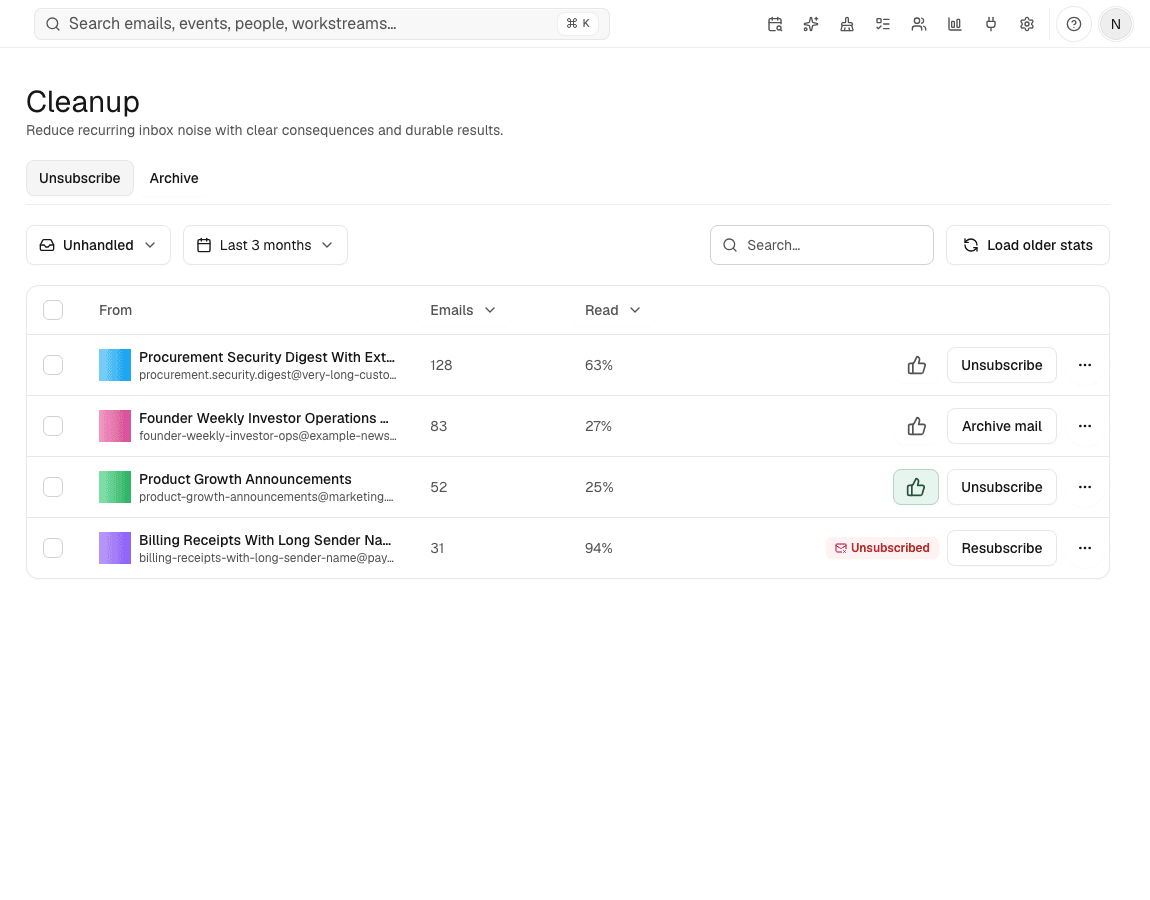
Review recurring senders
Search and sort sender patterns across a selected mailbox period.
2
Unsubscribe when available
Use unsubscribe links when a sender provides one Avalon can safely surface.
3
Archive in groups
Bulk-archive categories or configure recurring handling for future mail.
Before Avalon
Receipts, newsletters, notifications, and old threads stay mixed with work that actually needs a reply.
After Avalon
Avalon groups recurring senders and cleanup categories so you can remove noise without treating archive as deletion.
What Avalon supports
- Sender and category cleanup views
- Bulk unsubscribe where supported by the sender
- Bulk archive for selected groups
- Rules that keep recurring noise from returning
Important boundaries
- Avalon cannot unsubscribe from every sender.
- Archiving removes mail from the active view; it is not deletion.
Related features
See Avalon with your real mailbox
Start with a connected account, keep important actions reviewable, and decide which AI and automation surfaces belong in your setup.