

Connected tools
Integrations
Bring the systems you already use closer to mailbox work without granting blanket access to every action.
How it works
1
Connect a service
Use supported direct integrations, configured MCP connections, Slack, Salesforce, or Pipedream where available.
2
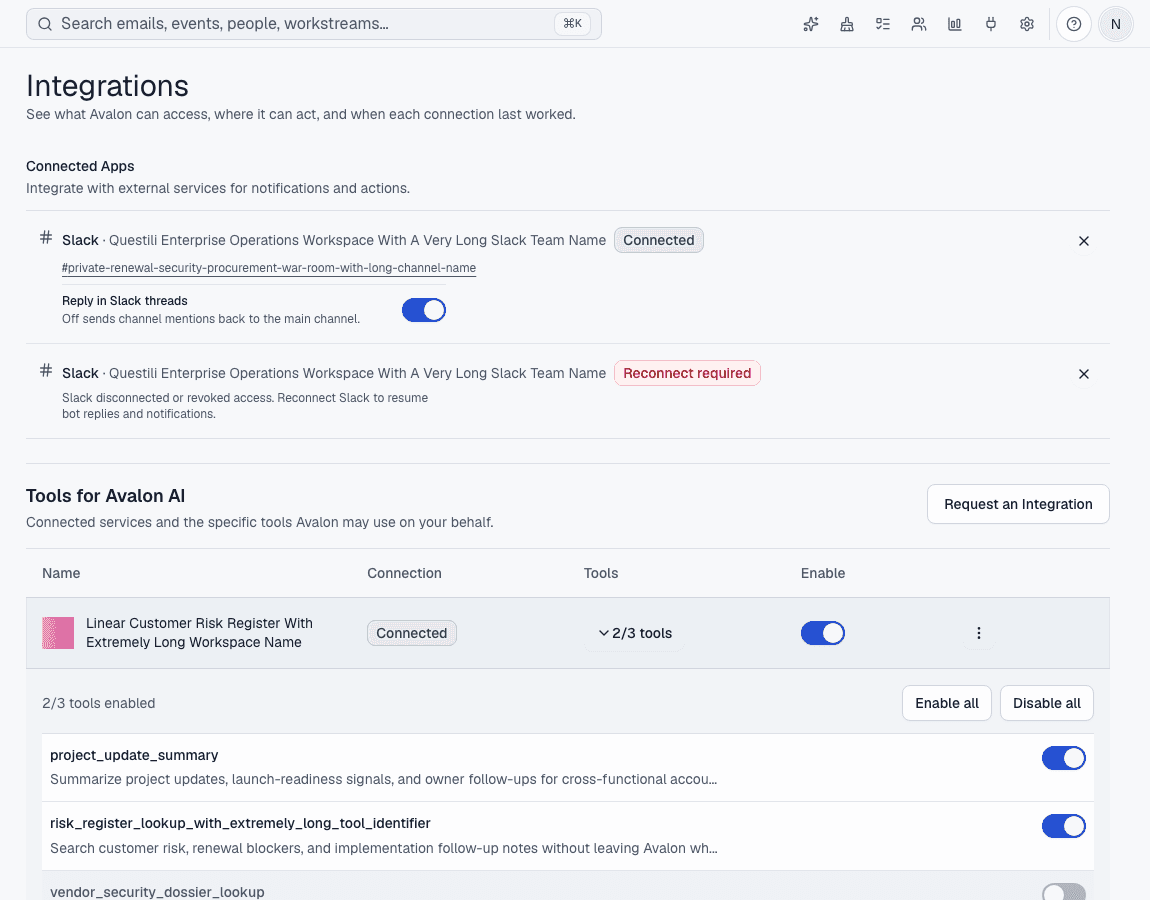
Inspect tools
Review which tools a connection exposes instead of treating the integration as a black box.
3
Use from Avalon AI
Let the assistant use approved tools for the task while sensitive or unknown tools stay blocked.
Before Avalon
Important account, support, project, and payment context lives outside email, so every answer starts with a search elsewhere.
After Avalon
Avalon can expose configured tools to the assistant with per-tool visibility and policy controls.
What Avalon supports
- First-party Slack integration
- Configured MCP connectors and a direct integration catalog
- Salesforce and Pipedream paths where configured
- Tool policy checks for assistant usage
Important boundaries
- The logo cloud is broader than proven native connector behavior.
- Avalon should not imply two-way sync or write access for every connected service.
Related features
See Avalon with your real mailbox
Start with a connected account, keep important actions reviewable, and decide which AI and automation surfaces belong in your setup.