

Control
Enterprise control
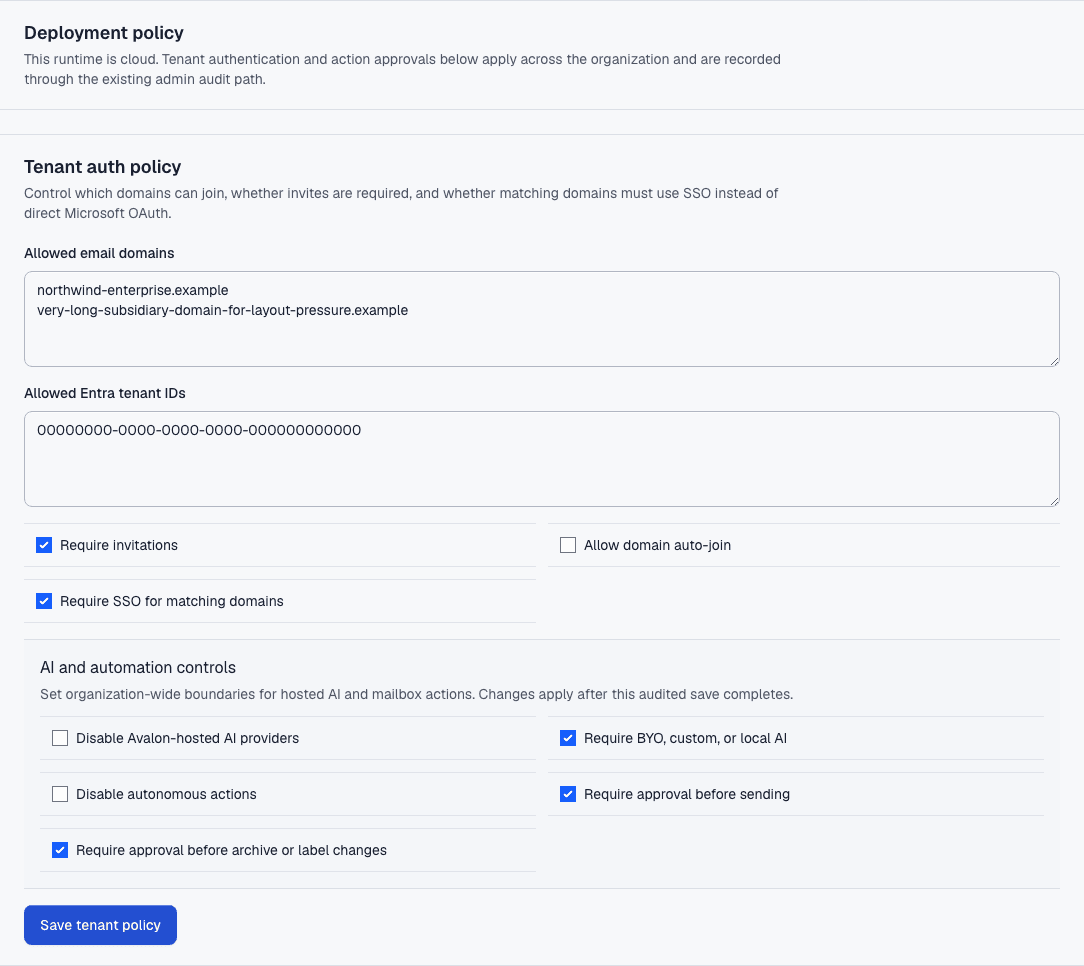
Choose how Avalon uses AI, which accounts and tools are allowed, and where stricter agreements are needed.
How it works
1
Set the boundary
Choose Avalon-hosted AI, ChatGPT sign-in, supported provider keys, or a compatible HTTPS endpoint where configured.
2
Review permissions
Connect only the mail, calendar, and tool permissions needed for the features you enable.
3
Roll out deliberately
Use admin controls, support agreements, and signed deployment terms for higher-control environments.
Before Avalon
Teams want AI help, but mailbox content, provider permissions, and external tools need clear control before rollout.
After Avalon
Avalon can route AI through approved providers or compatible endpoints, apply admin policy, and support custom enterprise agreements.
What Avalon supports
- Model provider selection and benchmark checks
- BYO provider keys and compatible custom endpoints where configured
- Organization roles for analytics and integration administration
- Signed enterprise paths for self-hosted or on-prem needs
Important boundaries
- Do not treat benchmark checks as certification.
- Self-hosted and on-prem deployment are available only by signed agreement.
Related features
See Avalon with your real mailbox
Start with a connected account, keep important actions reviewable, and decide which AI and automation surfaces belong in your setup.